





Moiré and How To Correct It

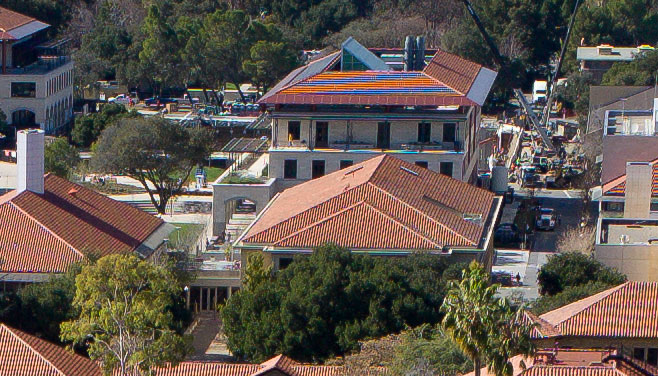
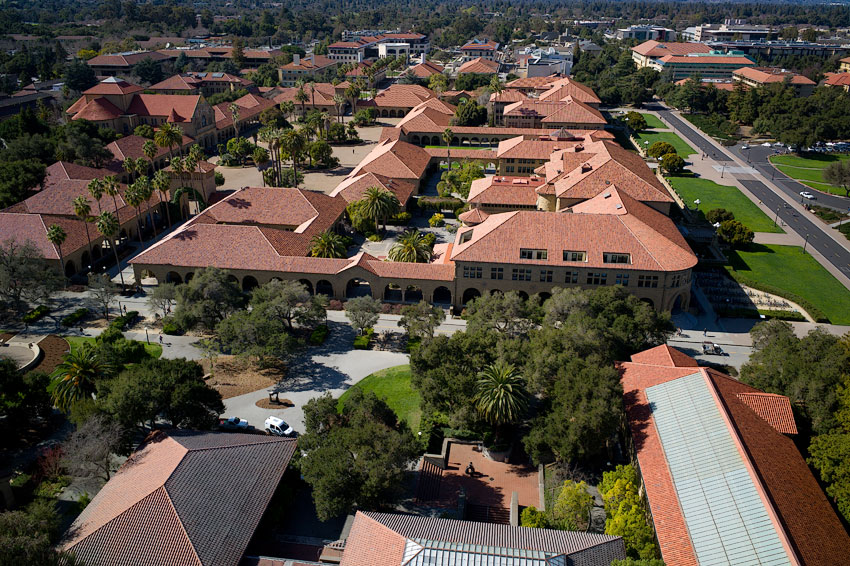
Below is an ugly case of color moiré (processed with Adobe Camera RAW), cropped from the image seen further below, taken on the 18MP Leica M9P + 28/2.8 Elmarit-M ASPH. There is moiré elsewhere as well, but not as strikingly harsh.
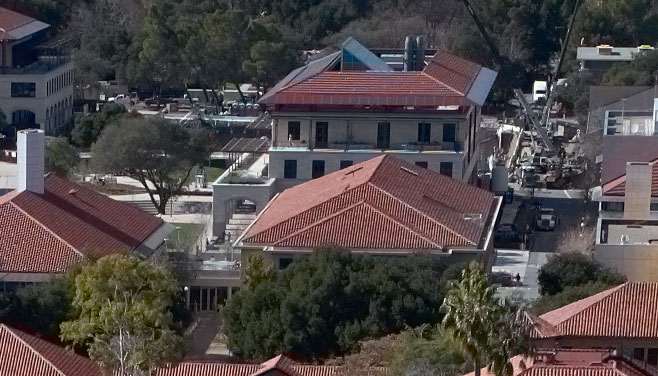
Setting aside color rendition (I am not very familiar with PhaseONE Capture One Pro), an anti-moiré setting of 87/100 is sufficient to banish the problem. Note that in addition to cleaning up the strong orange/blue stripe effect, the colored speckles on the finest details elsewhere also clean up.
This image was taken with the 18MP Leica M9. With the 36 megapixels of the Nikon D800E, would moiré be an issue? That depends on lens performance, aperture, and the frequency of fine detail relative to the sensor resolution.