



















Why no Custom Lens Correction on Leica M9?

The Leica M9 includes lens correction for Leica M lenses to correct vignetting (partially) and color shading off-center (partially). The correction is not perfect, and cannot be, due to variations in individual lenses.
I’ve posed that very question to Leica, or rather made it an emphatic suggestion. I’m told it’s not an issue that bothers most users. My prediction is that nothing will happen.
Leica is all about image quality, and this is a color defect that is not subtle to anyone with good color vision (like me). It is not an issue with film, digital sensors cause it.
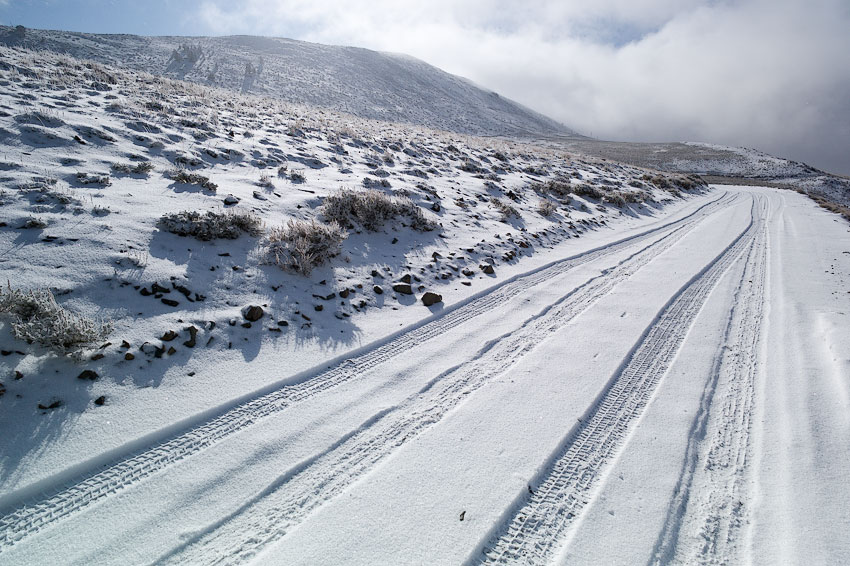
If the image below looks even in color to you, then you have a problem with your display, or your vision. The color cast at lower left is a distraction on snowy scenes, but a critical eye can detect it on any scene.

A real-world example. Observe the white snow at lower right, and cyan/green snow at lower left. This is not the lighting, it occurs in every frame. It is at its worse with 28mm and wider lenses (in general, the lens design also plays a role).