




















Reader comments on sunflower crop

Reader Bill L writes about the sunflower crop I posted on August 4. It was a quickie, I was just looking for something, and I agree it could use some help (it was late and I was tired when I posted that crop). I’m still waiting for PercepTool for 64-bit Photoshop (because I like “one button” tools).
My comments interspersed below as DIGLLOYD.
Your Aug 4 sunflower image cried out to me for Nik's Color Efex Pro 3.0 "Tonal Contrast" filter. The included screen shot shows the adjustments used in Color Efex Pro 3.0 "Tonal Contrast, and NX2."
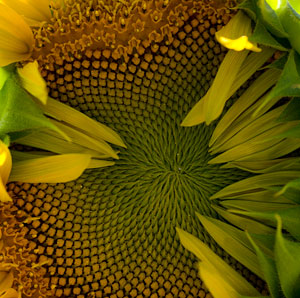
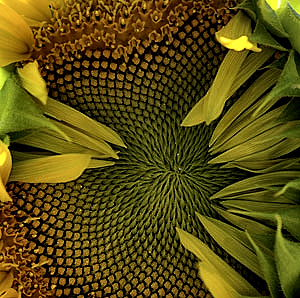
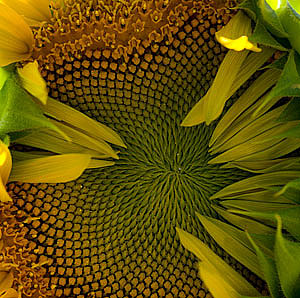
DIGLLOYD: Photoshop’s SmartSharpen can perk up things quite well. Here I applied Smart Sharpen {200, 0.2, Lens Blur} to the original:
EDITORIAL ASIDE:
You show us *superb* camera and lens HARDWARE comparison images, but we're reaching a point where post processing SOFTWARE often makes an even a larger difference than even a huge HARDWARE jump (Like from Nikon-D3000-with-kit-lens to Leica-S-with-180mm-f/3.5-APO-Elmar-S)!
DIGLLOYD: I agree in principle, but I do not agree that post-processing can take a D3000 image to Leica S grade— not anything close. I almost always post images with little processing because doing otherwise makes it difficult for readers to judge the relative merits, or to play with further processing.
Have a look at the attached "Before" and "After" JPEGs of your sunflower-center, and the screen shot of the associated "Color Efex Tonal Contrast" and "NX2" adjustments. (Please cut me a little slack on post-processed image quality—the original was only 300 x 300 pixels ;-\)
DIGLLOYD: The original is much larger, and better quality too of course.
I relish (and apply) your work that guides me to the absolute best hardware and technique—but we're reaching a point of diminishing returns on hardware (eg. the jump from Nikon D3x to Leica S2). The really big bang-for-the-buck (which most people are totally unaware of) is from too-little-used 3rd party software. (DxO Optics Pro 6, and Nik Color Efex Pro 3.0 leap to mind.)
DIGLLOYD: Agreed, and more and more of that should move into the camera, things that correct technical flaws, like lens aberrations, movement, focus, etc.
(Apologies, you've heard all this harping before. Just seemed like a good opportunity to show an example.)
BTW: The final Noise Reduction adjustment (bottom of the screen shot) was really not needed—I applied it only to one tiny section of the foreground green left at the far left of the image to get a little better bokeh. NR was NOT generally required, even after all my pushing for sharpness and tonal detail.