






















Mac Pro drive sleds for fast swapping of drives

In a Mac Pro, drives are installed by installing the drive into a drive “sled” (four screws). Then the sled is pushed into one of the four drive bays (the Mac Pro must be shut down, hot swapping is not advised).
With an unused drive bay, or when you can temporarily remove one of the drives, this is one option for quickly swapping in one or more hard drives. Reasons to do so include:
- Backup: swap in a backup drive, remove when done.
- Projects: swap a set of drives for a large video project or different client job.
- Security: pull drives with sensitive information, with drives for different jobs/clients.
Your best bet is to use a separate system drive (Mac OS X itself and applications), by installing a solid state drive into the lower optical bay, here’s how. Then all four bays can be used for drives, thus offering good computing hygiene by keeping system/applications separate from your data.
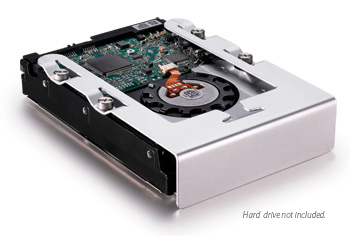
OWC is having a year-end “garage sale”, where You can get additional drive sleds for the 2006-2008 Mac Pro or for the 2009 Mac Pro at OWC. At $16.75 each for the 2009 Mac Pro, they offer great convenience for some Mac Pro users. OWC also has a video showing how to do it.
