






















Speeding up your laptop

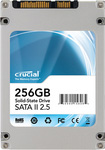
The best thing you can do to make your laptop run faster is to move to a solid state drive eg SSD (that’s assuming you have 4GB or more memory already).
Even on systems with maxed-out memory (8GB these days), using the SSD means that any virtual-memory paging hits a far faster device than a hard drive. So it’s a huge win not just for files, but for memory access when the limits are reached.
Update: my recommendation has changed. See my review of the OWC Mercury Elite enterprise-class SSD.
I recommend the Crucial M225 256GB for capacity reasons on top of its blistering speed. The 128GB model works also, if that’s enough space for you. See my review and recent blog entry on the Intel 160GB. The Intel is also a fine choice. Faster, lower power, more reliable, the only thing to dislike is cost.
Mac or PC, an SSD is a big boost to laptop performance. Mac users can upgrade without having to reinstall the system or applications, here’s how. You can be running on your spiffy new SSD in under an hour. Get the Crucial 256GB and a great choice of other SSD products at Other World Computing. You can also find Crucial at B&H Photo or Amazon.
Some users, including myself, will be moving to dual SSDs inside a MacBook Pro, externalizing the optical drive and utilizing a bracket for the 2nd SSD, my report to follow in January. I offer consulting to professionals seeking to do this in the best possible way.
