






















Running Mac OS X Snow Leopard with the 64-bit kernel

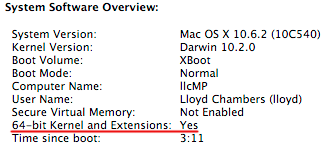
As documented in my Snow Leopard special report, booting the 64-bit kernel is a significant performance enhancer for photographic applications, well worth doing if your software and hardware has no issues.
The main sticking point for me in booting the Mac OS X “Snow Leopard” kernel into 64-bit mode has been the lack of a 64-bit driver for the Sonnet Tempo E4P eSATA card I use— or used to use.
I have now rigorously tested the new FirmTek SeriTek/2ME4-E in my “test mule” Mac Pro Nehalem in 64-bit mode. It not only worked flawlessly, but delivered awesome performance. While issues could emerge, at this point it has become my recommended eSATA card for the Mac Pro, and I have purchased three of them for my own use. You can get the SeriTek/2ME4-E at OWC, with good supply coming in tomorrow.
Today I installed the SeriTek/2ME4-E into my main “production” Mac Pro, and I’m now running Snow Leopard with the 64-bit kernel. So far everything runs great, I’m pleased.
I also updated to Mac OS X 10.6.2 today, which contains a slew of bug fixes. At this point, I think most users should migrate to Snow Leopard, barring any specific issues that preclude it.
