






















Mac Pro Nehalem: 4GB modules from OWC

OWC sent me a 32GB kit (8 X 4GB) to try in the new Mac Pro Nehalem.
I don’t really need this much memory, but anyone working with huge files in Photoshop should use 32GB. A good compromise if you don’t need the full 32GB is “only” 24GB: lower cost and (in theory) slightly higher performance.
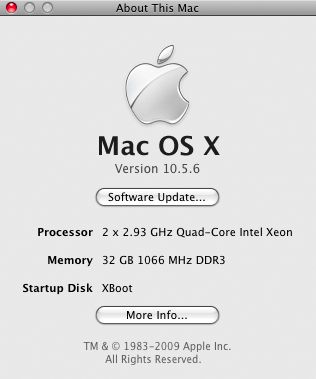
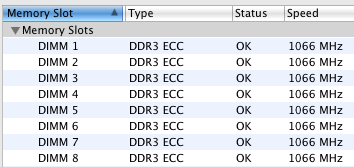
Mac Pro Nehalem with eight 4GB modules = 32GB
When used 6 at a time, memory copy performance tested using diglloydTools with the OWC 4GB modules is identical to that of the OWC 2GB modules.
But when eight 4GB modules are used, memcpy performance is about 15% faster than with eight 2GB modules, and in fact 75% as fast as the six module configuration. In other words, an eight module configuration of the 4GB modules offer 75% of the maximum performance, a bonus upside, even if real application are unlikely to show no difference.
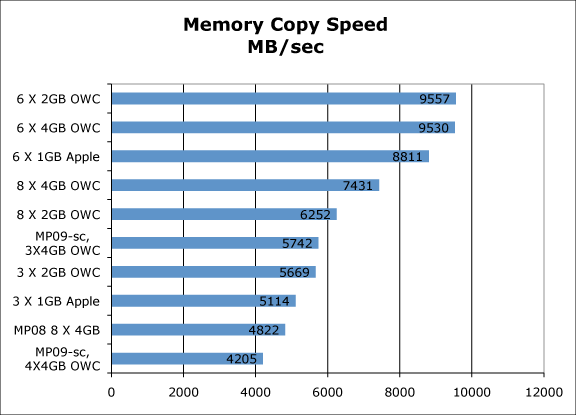
OWC 2GB and 4GB modules the same speed with 6 modules
But with 8 modules, the 4GB modules excel
One caveat: the OWC 4GB modules will not work with other modules of any brand or capacity This is unfortunate, but it’s not clear that Apple OEM modules might not have the same limitation. And at 1/3 the price of Apple ($6100 for 32GB), it’s a quibble.
The good news is that anyone with the new single-CPU (4 core) Mac Pro Nehalem can use 4GB modules to get to 16GB, a critical consideration for some users.
As with all the OWC memory I’ve tried, it’s worked flawlessly, with no issues, no ECC errors, etc, even when stressed by diglloydTools.
