






















Upgrade your MacBook Pro to 6GB

A great way to get more performance out of your existing MacBook Pro, especially for Photoshop, is to upgrade to 6GB total memory. An extra 2GB makes all the difference with applications like Photoshop, as shown with my extensive Photoshop testing with large files. More than that, Mac OS X aggressively uses extra memory for caching, which makes the whole system more responsive.
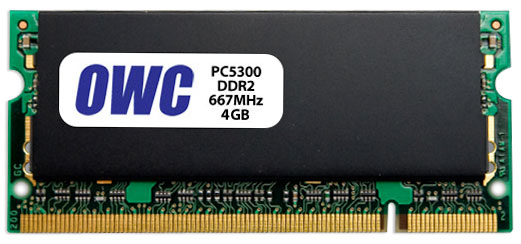
Other World Computing (OWC) 4GB module
Price was an issue until recently, but memory prices for the prior-generation MacBook Pro models just took a big drop, so that you can now get a 4GB module for $159 or 6GB kit (4GB + 2GB) for $180. See my review of the OWC kit. The 6GB config is what I tested in my Optimizing Photoshop series.
My extensive testing of the OWC kit over several weeks showed rock-solid operation even under the massive stress of a diglloydTools stress test. Please note that I am not recommending 4GB modules in general, only the OWC kit, because it is the one I’ve tested and found to be bullet-proof. Heat and reliability are critical issues with the 4GB modules in a MacBook Pro—choose your vendor carefully.
Pricing for the DDR3 memory for the late 2008 MacBook Pro “unibody” is higher (about $389 vs $189 for a 4GB module), another good reason to stick with the older MacBook Pro. However, the new 17" unibody MacBook Pro (only) can be upgraded to 8GB via 4GB modules, which might be a compelling advantage for those who want to use a MacBook Pro as a desktop replacement.
See my review of late 2008 unibody MacBook Pro 2.8GHz (it’s a step backward in several ways). The MacBook Pro models prior to the late 2008 unibody model are bargains, and by stuffing them with 6GB memory and a fast 500GB 7200 rpm drive (or solid state drive), they can perform every bit as well as the same clock speed new models, without the hassles, and at far lower cost.
Memory install on the MacBook Pro is literally a 5 minute job, so have no concern about the mechanics.
