



















Determining shutter actuations on a digital SLR

A reader reports purchasing a SanDisk Extreme FireWire CompactFlash Card Reader from B&H Photo Video (one of the stores I regularly use with nary a problem), but not receiving any “Hard Case” as listed in the “Item Includes” tab. And on the SanDisk site, there are other significant changes from the original product description.
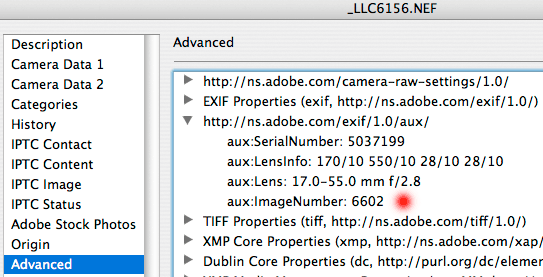
Today I discovered a way to learn the number of actuations on a digital SLR. Some people have recommended using exiftool (see example output), but that might be intimidating for some. As a perl script, it works on Mac, Windows, Linux, etc—provided that you have Perl installed (see the exiftool documentation).
I have found the method described below works for the Nikon D2X, Nikon D200, and Canon EOS 1Ds Mark II. The Canon EOS 5D has a similar sounding “Image Number” as the current working image number, which not reflect the number of actuations (it can be reset each time the card is formatted, or wrap around at 9999).
I have also verified that using the D200 menus to reset the image numbers via “Shooting/Display => File No. Sequence => Reset” does not change the “aux:ImageNumber” value (see below).
To see the actuations, use Photoshop CS2’s “” command and inspect the ” content: