














$1198 SAVE $400 = 25.0% Panasonic 42.5mm f/1.2 Leica DG Nocticron ASPH. POWER O.I.S. IN STOCK in Lenses: Mirrorless
|


|

|

|

|

|
Shooting Tip: Use Mirror Lockup


For sharp images on a tripod, use your camera’s mirror lockup function with a remote release whenever feasible.
If your camera does not have a mirror lockup feature, then use an exposure delay mode, if available (Nikon bodies have it).
Be sure to allow at least two seconds to pass after the mirror locks up before releasing the shutter; this allows any vibration to dissipate.
A good rule of thumb is 2 seconds for shorter focal lengths, and 3-5 seconds for long telephotos, depending on your equipment.
I like to program in a shortcut on my cameras to be able to quickly enable or disable mirror lockup.
Example
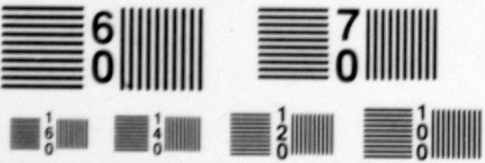
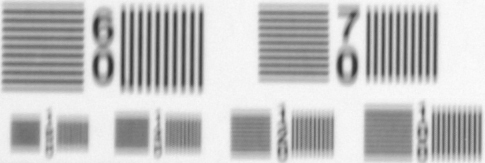
Both images below were taken with a Nikon D2x on a tripod at 1/8 second with a long telephoto lens. With today’s higher resolution cameras, the loss in resolution would be greater than shown here.
Note that the blur in the bottom image is in a vertical direction: this is a jolt called mirror slap as the mirror rises and slams into the top of the mirror box prior to the exposure being made.